Guided Trek to Your Next Role
RoleTrek keeps a job search in one place, from the first search to the day you join. The site does the routine work, such as fetching, filtering, drafting and reminding. You make every decision that matters.
RoleTrek is open to a small group by invitation only. There is no sign-up for strangers.
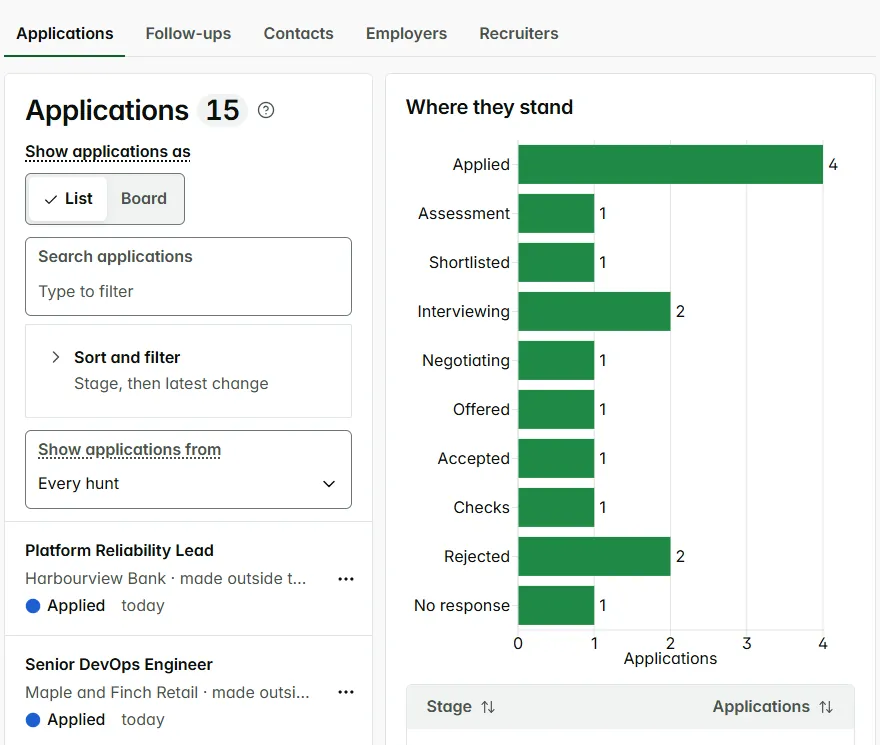
Find roles and see how well they fit
Hunts fetch openings from several sources. Each one is checked against what you want, and each one that passes gets a score out of 10 and a plain reason, the strongest fit first.
- The openings filtered out are still reachable.
- Add a job yourself from a link or its text.
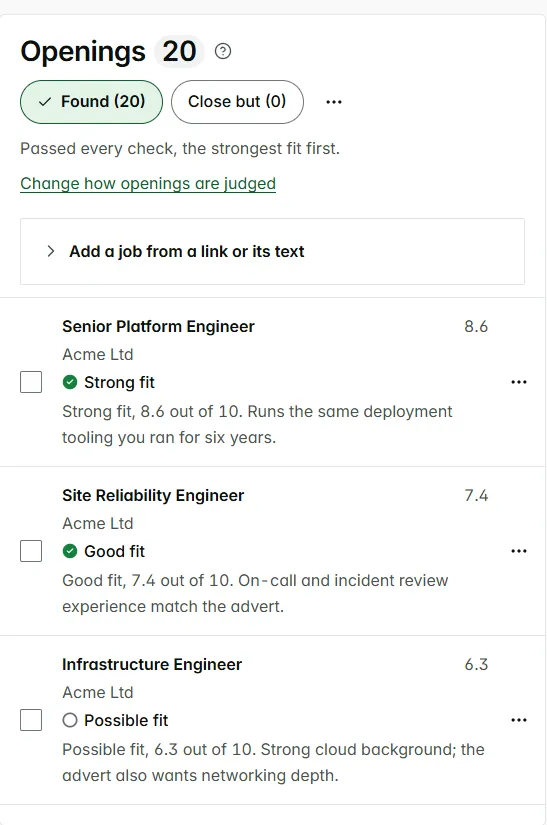
Apply and keep track
CVs and cover letters are drafted for each opening, and nothing reaches an employer unless you say yes. RoleTrek keeps a record of exactly what was sent.
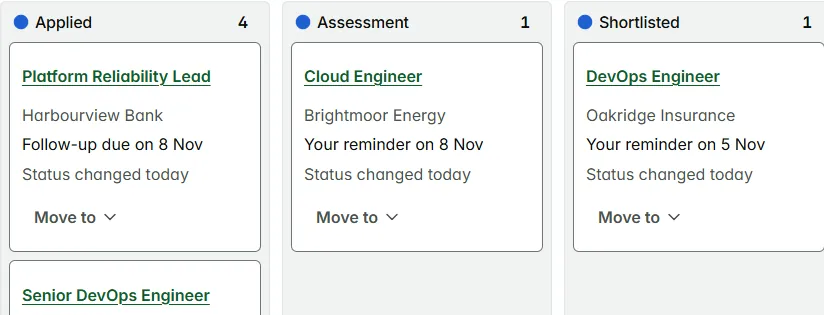
- See where every application stands: a list with a count for each stage, or a board with one column per stage.
- Mail, follow-ups and reminders sit with the application they belong to.
Interviews and offers
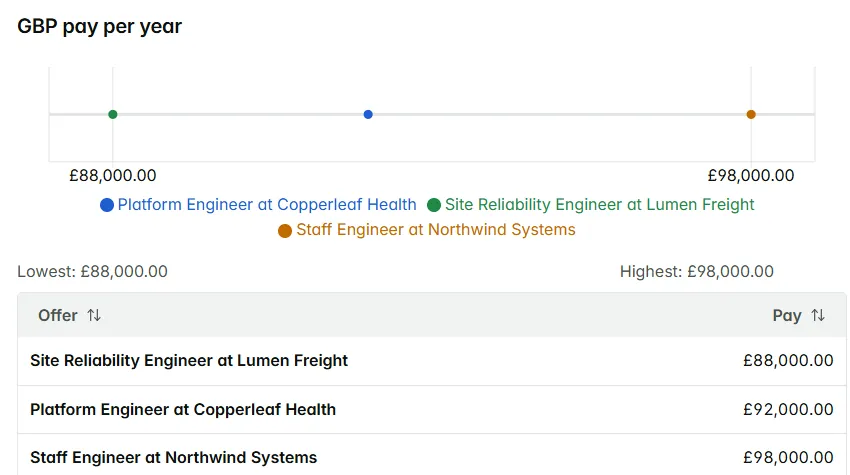
Interviews, practice and offers are kept in one place. Open offers are compared side by side in their own currencies, and none is picked for you.
- Pay offered is set beside what you would bank each year, and beside what you wanted and what was advertised.
- Market pay for each role can be checked from the same page.
Moving and joining
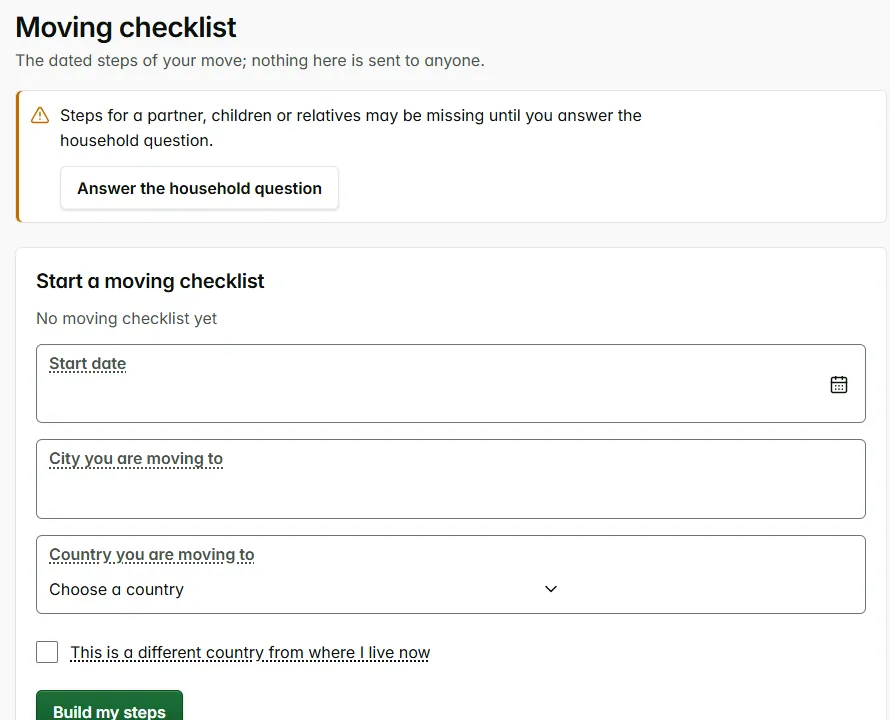
Right to work, relocation and money questions are answered from official sources. Leaving your job, joining the new one and the move itself each get dated steps.
- Visa, housing, schools and moving help by country, in one area.
- Nothing here is sent to your employer or anyone else.
Your material is sealed, and you can see what is sent where
The server never holds what unlocks your private data, so it cannot unlock what is stored. When you ask an AI to work on something, your browser unlocks that part and sends it. The server holds it unlocked until the task is done. For some tasks it is also kept in the server's database until the task is done, or for a time after the task fails (listed on the page What the site can and cannot see).
A stolen database (where the site stores what it keeps) or a stolen backup copy would show nothing readable of your private data, except the items listed on the page What the site can and cannot see, such as text waiting for an AI task, the job openings found in your job-alert emails, the name and headline of a person you ask the site to write to, and short AI findings, such as what sort of reply an email is. That is all the site promises about a stolen database or backup copy.
- What the site can and cannot see: what is sealed, and what the server can read
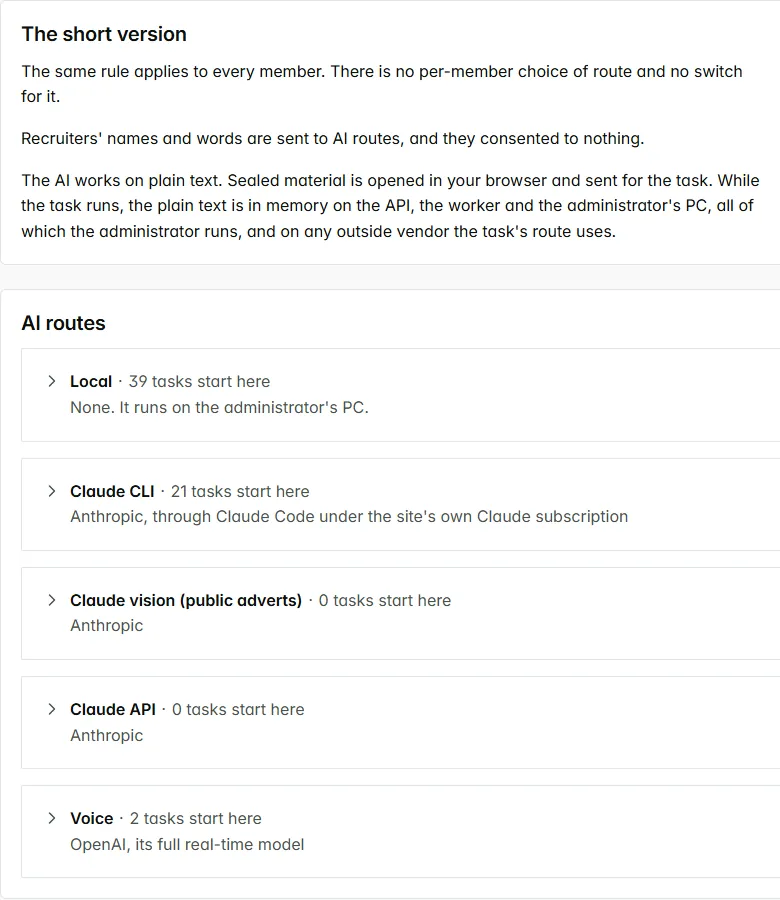
- Where your material goes: each AI route and its company
Invited?
Open the app and sign in with the email your invitation came to.